> ## Documentation Index
> Fetch the complete documentation index at: https://luminouslabs-cc5545c6-indexing-tokens.mintlify.site/llms.txt
> Use this file to discover all available pages before exploring further.

# Overview

> Overview to guides for Solana programs to create, update, close, reinitialize, and burn permanently compressed accounts.

| Guide                                                                                               | Description                                                                  |
| --------------------------------------------------------------------------------------------------- | ---------------------------------------------------------------------------- |
| [Create Compressed Accounts](/compressed-pdas/guides/how-to-create-compressed-accounts)             | Create compressed accounts with address                                      |
| [Update Compressed Accounts](/compressed-pdas/guides/how-to-update-compressed-accounts)             | Update compressed accounts                                                   |
| [Close Compressed Accounts](/compressed-pdas/guides/how-to-close-compressed-accounts)               | Close compressed accounts, retain the address                                |
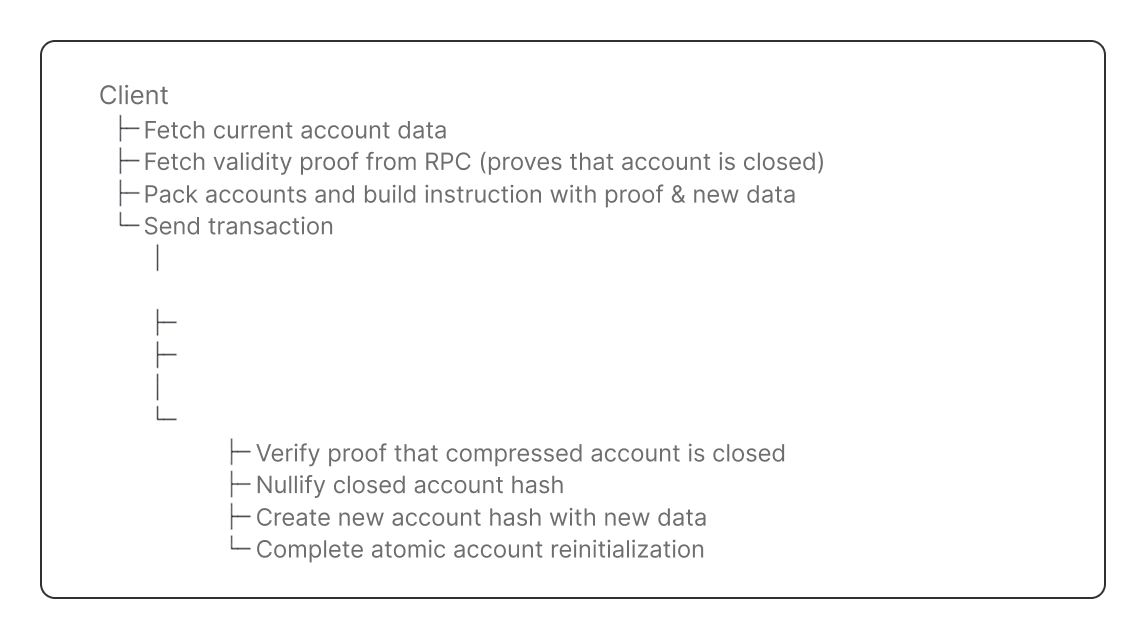
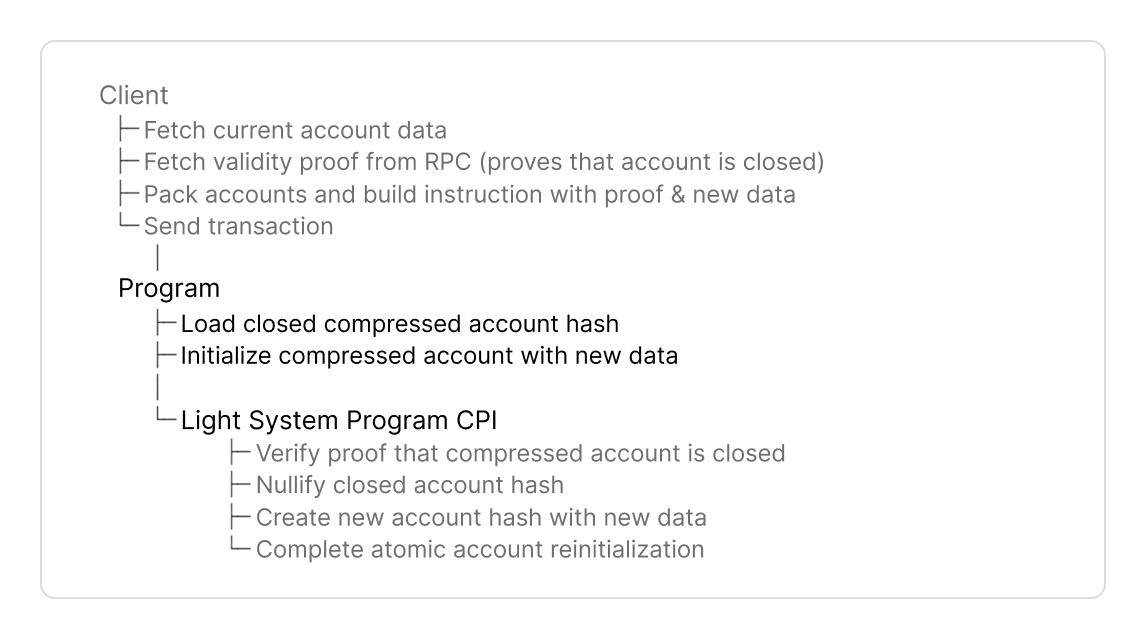
| [Reinitialize Compressed Accounts](/compressed-pdas/guides/how-to-reinitialize-compressed-accounts) | Reinitialize closed compressed accounts with the same address and new values |
| [Burn Compressed Accounts](/compressed-pdas/guides/how-to-burn-compressed-accounts)                 | Burn compressed accounts and their address permanently                       |

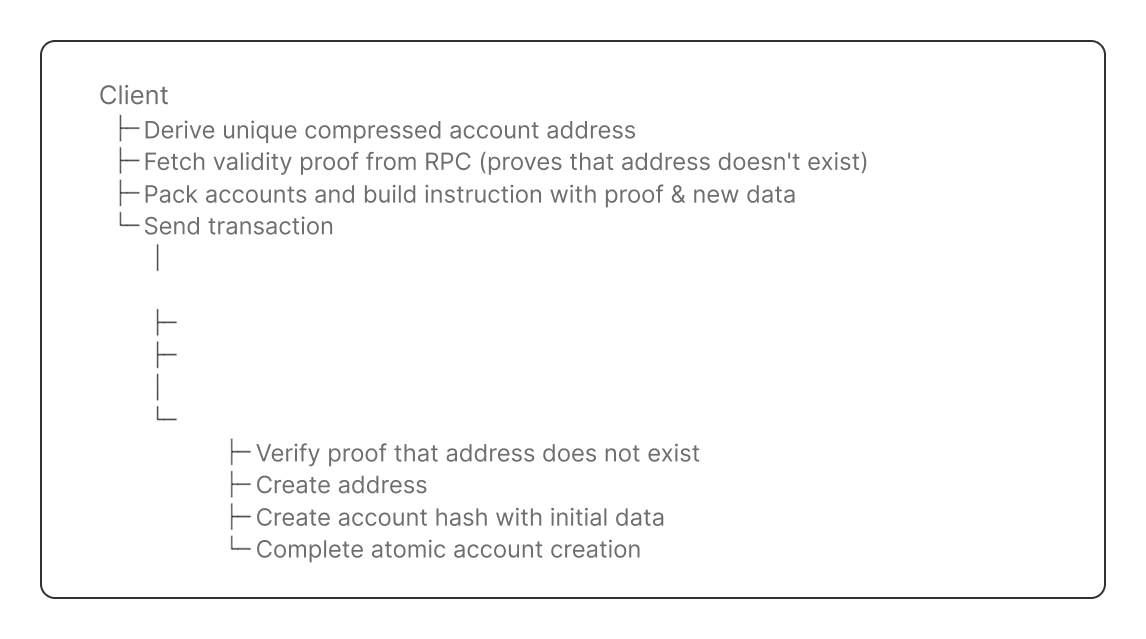
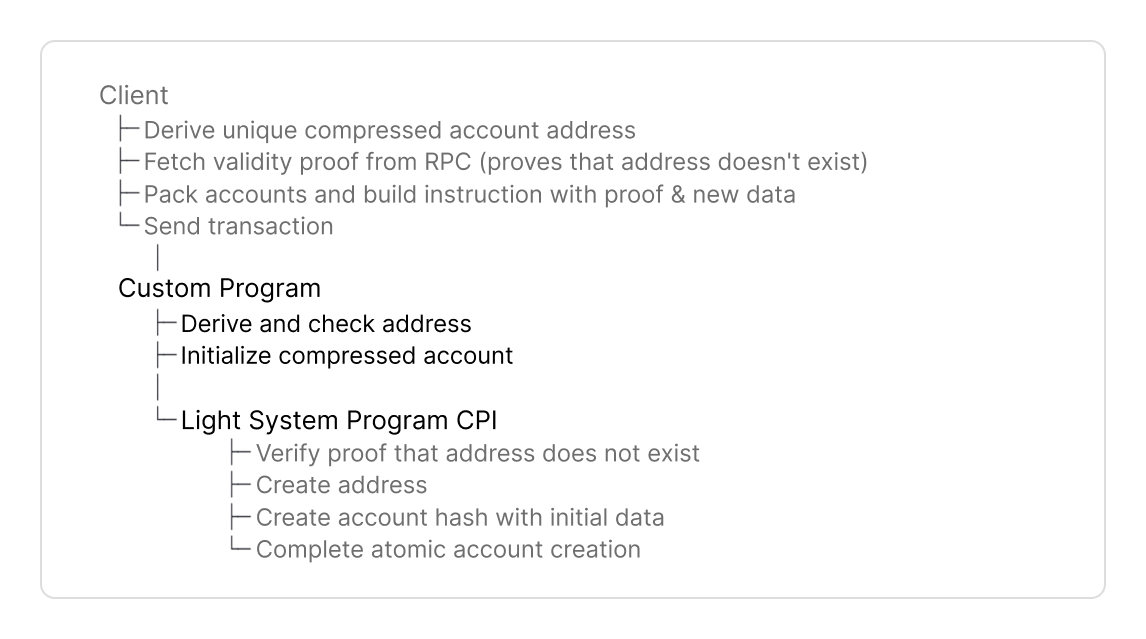
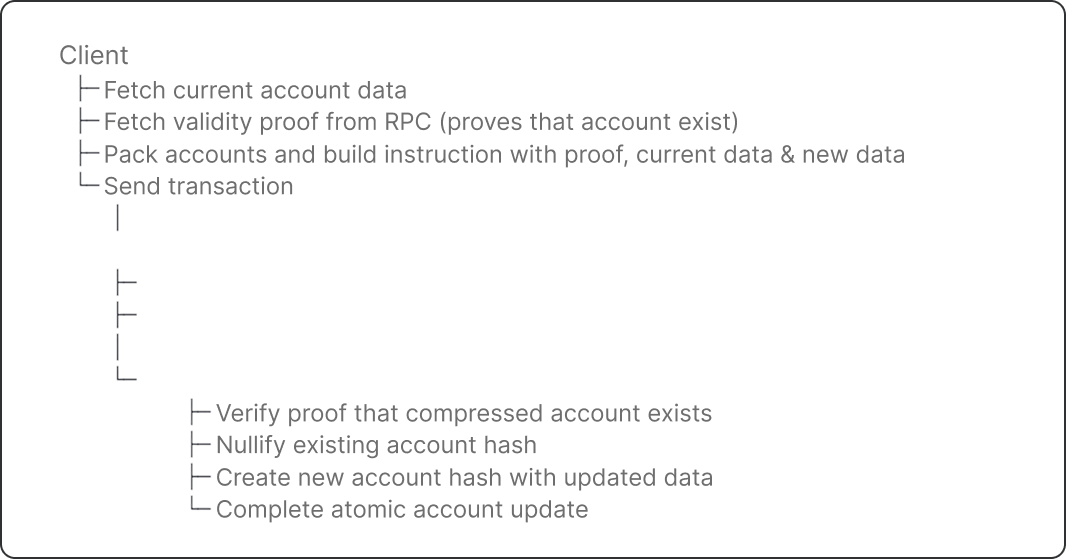
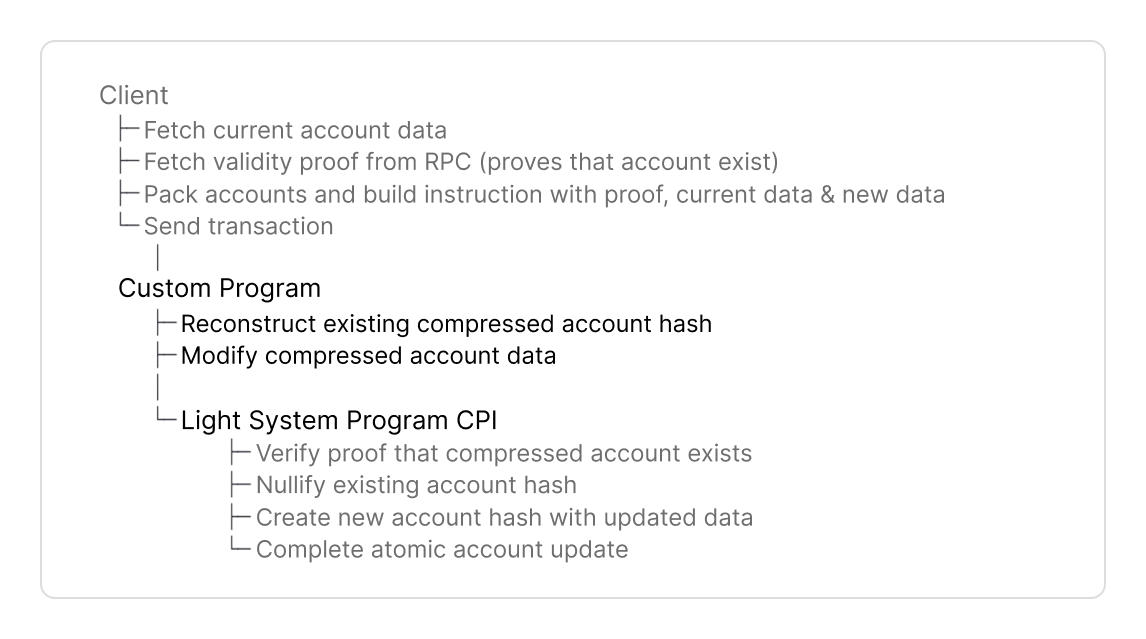
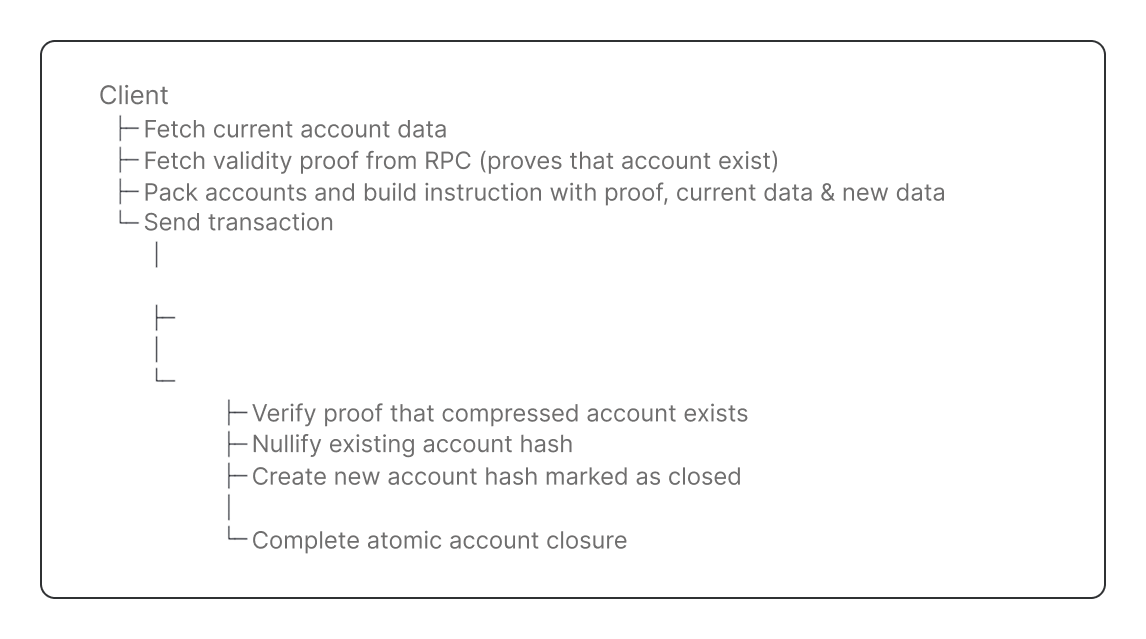
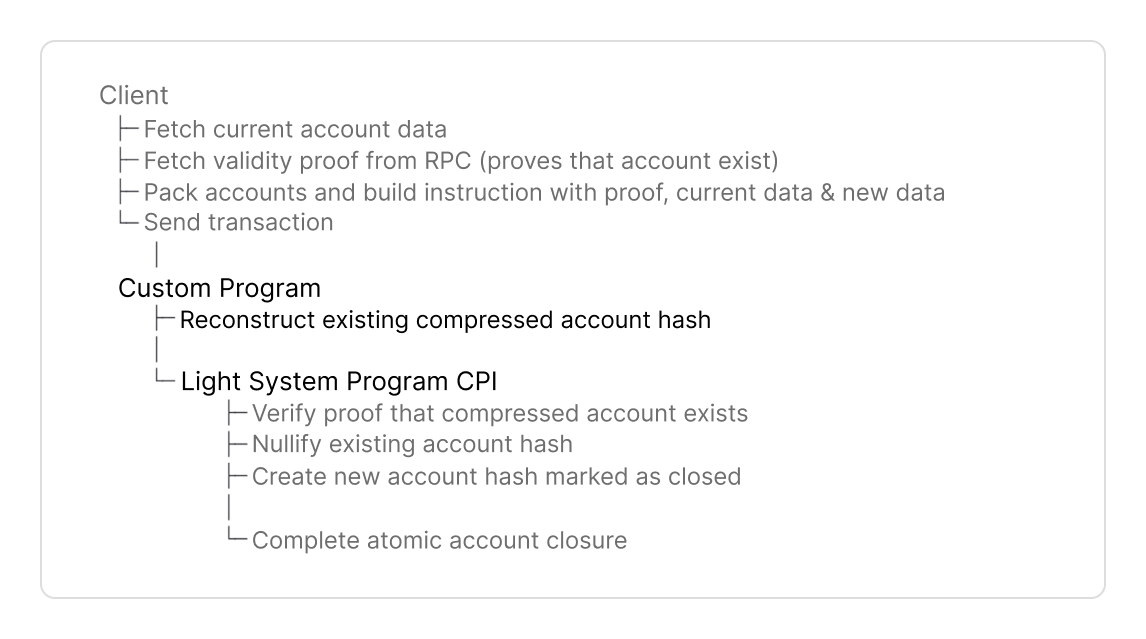
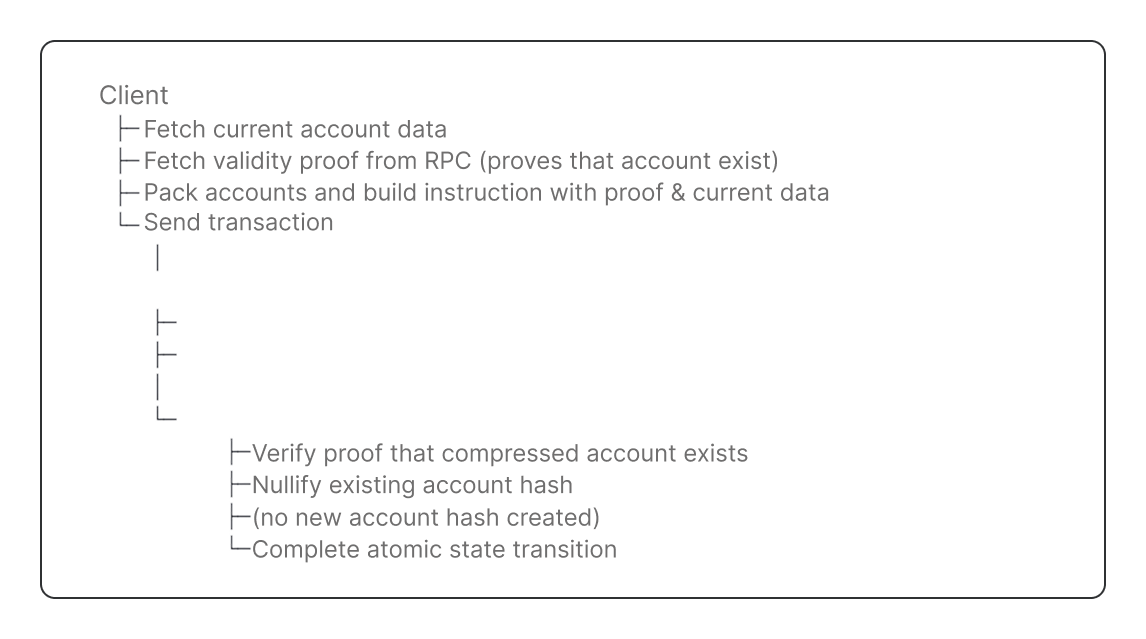
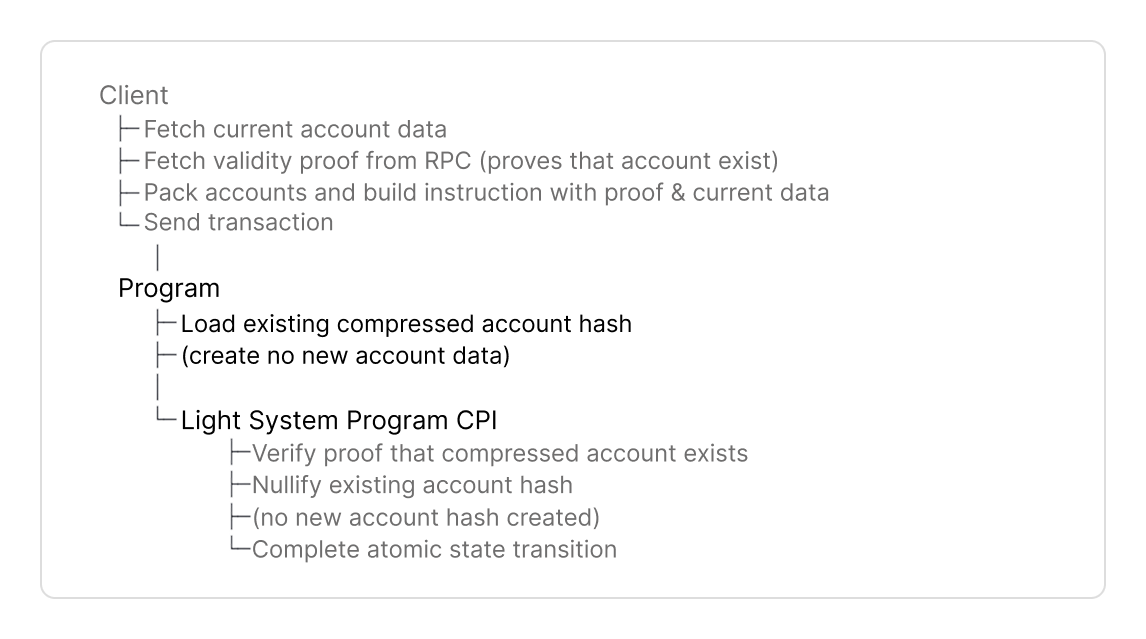
Here is the complete flow to create, or interact with compressed accounts:

<Tabs>
  <Tab title="Create">
    <div className="hidden dark:block">
      <Frame>
        <img src="https://mintcdn.com/luminouslabs-cc5545c6-indexing-tokens/yw0L-_d1Tt5-pHOA/images/Untitled.png?fit=max&auto=format&n=yw0L-_d1Tt5-pHOA&q=85&s=fa70080c8730bbc246d14fc5a966a0b9" alt="" width="1146" height="639" data-path="images/Untitled.png" />
      </Frame>
    </div>

    <div className="block dark:hidden">
      <Frame>
        <img src="https://mintcdn.com/luminouslabs-cc5545c6-indexing-tokens/xGu_bepL4WawYSOp/images/image-22.png?fit=max&auto=format&n=xGu_bepL4WawYSOp&q=85&s=aebb75d362f056c4a77d68af02e482fc" alt="" width="1146" height="639" data-path="images/image-22.png" />
      </Frame>
    </div>
  </Tab>

  <Tab title="Update">
    <div className="hidden dark:block">
      <Frame>
        <img src="https://mintcdn.com/luminouslabs-cc5545c6-indexing-tokens/yw0L-_d1Tt5-pHOA/images/Untitled-1.png?fit=max&auto=format&n=yw0L-_d1Tt5-pHOA&q=85&s=316e0a7e42f444f3ea1b84d9b4cdfa53" alt="" width="1066" height="559" data-path="images/Untitled-1.png" />
      </Frame>
    </div>

    <div className="block dark:hidden">
      <Frame>
        <img src="https://mintcdn.com/luminouslabs-cc5545c6-indexing-tokens/xGu_bepL4WawYSOp/images/image-20.png?fit=max&auto=format&n=xGu_bepL4WawYSOp&q=85&s=c92f102a617930af3e5b7d695758fedc" alt="" width="1146" height="639" data-path="images/image-20.png" />
      </Frame>
    </div>
  </Tab>

  <Tab title="Close">
    <div className="hidden dark:block">
      <Frame>
        <img src="https://mintcdn.com/luminouslabs-cc5545c6-indexing-tokens/yw0L-_d1Tt5-pHOA/images/Untitled-4.png?fit=max&auto=format&n=yw0L-_d1Tt5-pHOA&q=85&s=c4fc5d750047e515e437c15da6d36556" alt="" width="1146" height="639" data-path="images/Untitled-4.png" />
      </Frame>
    </div>

    <div className="block dark:hidden">
      <Frame>
        <img src="https://mintcdn.com/luminouslabs-cc5545c6-indexing-tokens/xGu_bepL4WawYSOp/images/image-23.png?fit=max&auto=format&n=xGu_bepL4WawYSOp&q=85&s=b48c1058283045e9e7a3f1bea49e5a4c" alt="" width="1146" height="639" data-path="images/image-23.png" />
      </Frame>
    </div>
  </Tab>

  <Tab title="Reinitialize">
    <div className="hidden dark:block">
      <Frame>
        <img src="https://mintcdn.com/luminouslabs-cc5545c6-indexing-tokens/xGu_bepL4WawYSOp/images/program-reinit-1.png?fit=max&auto=format&n=xGu_bepL4WawYSOp&q=85&s=a3607e26ccb5b21b3932095a5579ceec" alt="" width="1146" height="639" data-path="images/program-reinit-1.png" />
      </Frame>
    </div>

    <div className="block dark:hidden">
      <Frame>
        <img src="https://mintcdn.com/luminouslabs-cc5545c6-indexing-tokens/xGu_bepL4WawYSOp/images/program-reinit.png?fit=max&auto=format&n=xGu_bepL4WawYSOp&q=85&s=c8b8de82d6c317b6fd34793e75901a87" alt="" width="1146" height="639" data-path="images/program-reinit.png" />
      </Frame>
    </div>
  </Tab>

  <Tab title="Burn">
    <div className="hidden dark:block">
      <Frame>
        <img src="https://mintcdn.com/luminouslabs-cc5545c6-indexing-tokens/xGu_bepL4WawYSOp/images/program-burn-1.png?fit=max&auto=format&n=xGu_bepL4WawYSOp&q=85&s=f5e3069ed10b4bcf4514ae1cf90af833" alt="" width="1146" height="639" data-path="images/program-burn-1.png" />
      </Frame>
    </div>

    <div className="block dark:hidden">
      <Frame>
        <img src="https://mintcdn.com/luminouslabs-cc5545c6-indexing-tokens/xGu_bepL4WawYSOp/images/program-burn.png?fit=max&auto=format&n=xGu_bepL4WawYSOp&q=85&s=74ce4f84a7528a1d0105916d9639c529" alt="" width="1146" height="639" data-path="images/program-burn.png" />
      </Frame>
    </div>
  </Tab>
</Tabs>

## Next Steps

<Card title="Create a program with compressed accounts" icon="chevron-right" color="#0066ff" href="/compressed-pdas/guides/how-to-create-compressed-accounts" horizontal />